If you’ve ever stood in front of a packed concert venue, a bright retail store window, or a corporate conference room, stared up at a seamless, eye-popping LED video wall, and thought, “Wow, that image looks so smooth” — you’ve noticed one of the most important specs of these displays: refresh rate. As a LED video wall supplier who’s worked with venues, brands, and integrators for over a decade, I’ve lost count of how many times I’ve been asked, “What exactly is refresh rate, and does it even matter for LED walls?” The short answer: it’s not just a number on a spec sheet — it’s what makes your wall look sharp, blur-free, and engaging, even in high-action environments. Let’s break this down in plain, practical terms, no overly technical jargon, and no confusing fluff. LED Video Wall
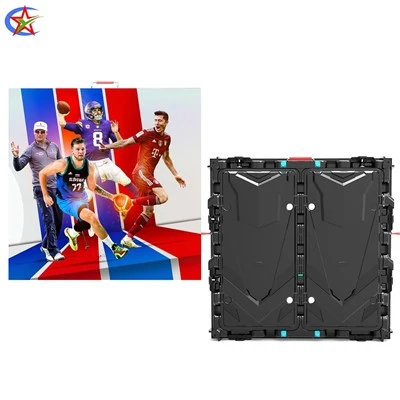
First, let’s start with the basics: what refresh rate actually means, regardless of the display type. Most of us have heard the term, but the definition is simpler than it sounds. Refresh rate measures how many times a display updates the image it’s showing every single second, measured in Hertz (Hz). A 60Hz display, for example, refreshes 60 times per second; a 120Hz one refreshes twice as often. For your phone or TV, this determines how smooth scrolling looks, how clear fast sports replays are, and whether you get motion blur during a fight scene in a movie. For LED video walls, the same principle applies, but there are a few key differences that make the spec work a little differently than it does for your living room TV.
Wait, hold on — why is LED video wall refresh rate different? Unlike a standard flat-panel TV, which has a single backlight that shines through pixels on a screen, an LED video wall is made up of hundreds or thousands of individual LED modules, each with its own tiny light source and driver. Each of these modules controls its own refresh cycle, which means the overall refresh rate of the wall isn’t just a single number from a factory spec — it can vary based on the wall’s resolution, its pixel pitch (that’s the distance between each individual LED, a big deal for how close you can stand to the wall), and even the content it’s playing. That’s a critical point I see customers mix up all the time: there’s a huge difference between the “native refresh rate” of an individual module and the “system refresh rate” of the entire wall when it’s up and running.
Let’s talk about native module refresh rate first, because that’s the core of the spec. Most standard indoor LED video wall modules for general use have a native refresh rate of between 1920Hz and 3840Hz. Wait, that’s way higher than the 60Hz or 120Hz you see on TVs, right? There’s a reason for that. LED displays use pulse-width modulation (PWM) to control brightness — instead of dimming the light like a bulb, they turn the LED on and off very rapidly, adjusting how long it’s on to create different brightness levels. If a refresh rate is too low, you’ll see flicker, especially when the wall is showing dark content, or if you’re filming it with a phone camera (we’ve all seen that weird rolling bar effect when you record a screen with a phone — that’s flicker from low refresh rate). That’s a non-starter for most professional uses, so LED wall manufacturers build modules with much higher native refresh rates to eliminate that flicker. Outdoors, where sunlight washes out displays and bright content is standard, you’ll often see even higher native refresh rates, sometimes up to 7680Hz, to keep brightness consistent and flicker-free even in direct sun.
But here’s the catch: that native module rate only translates to the wall’s actual performance if the rest of the system can keep up. Let’s say you have a wall with a 3840Hz native module, but you’re feeding it a 1080p signal from an old media player that only outputs at 60Hz. The wall can refresh as fast as it wants, but the content isn’t changing that often, so you’ll never see the benefit of that high 3840Hz rate. That’s why, when we talk about the refresh rate of a complete LED video wall, we usually mean the maximum achievable refresh rate when paired with a properly spec’d processing system and content source. For most general-purpose walls — used for corporate conferences, retail signage, or museum exhibits — that’s between 1920Hz and 3840Hz, which is more than enough to eliminate flicker and motion blur for nearly all use cases.
Now, let’s get to the part that actually matters: how refresh rate impacts your project, because at the end of the day, no one cares about specs just for the sake of specs. I’ve seen way too many clients get fixated on the highest Hz number possible, only to overspend on a feature they’ll never use. Let’s break down when a higher refresh rate matters, and when it’s just unnecessary extra cost.
First, when does a higher refresh rate make a difference? If your LED video wall is going to be used for high-action content — think live sports broadcasts, music festivals, concert stages, esports events, or product launches with fast-moving graphics — a higher refresh rate will eliminate motion blur. Ever sat front row at a concert and noticed the singer’s hair or a drum solo looked slightly smudged on the wall? That’s low motion blur from a display that wasn’t optimized for fast movement. For these events, walls with 3840Hz or even 7680Hz refresh rates are standard because they keep fast-moving content sharp, so every frame looks clear even when the camera is panning fast. Also, if your wall is going to be viewed at close range — like a retail window where customers are standing 10 to 15 feet away, or a conference room wall where attendees are sitting just a few feet from the screen — a higher refresh rate will make the image look smoother and more natural, with none of the little flickering artifacts that can be annoying when you’re staring at a display for hours.
When is a higher refresh rate overkill? If your wall is for a quiet museum exhibit, a small classroom presentation, or a store sign that only plays static content or slow-motion loops, 1920Hz is more than enough. Most of the time, viewers won’t even notice the difference between 1920Hz and 3840Hz in these scenarios, and paying extra for that higher spec will just blow your budget for no gain. We see this all the time with small business clients who come to us thinking they need the biggest, fastest wall possible, when a mid-range wall with a solid 1920Hz refresh rate will do everything they need for half the cost.
Another common question I get: can you test refresh rate with your phone? That rolling bar effect I mentioned earlier? Yes, that’s actually a quick way to check if a wall has a good refresh rate. The effect is caused by your phone’s camera shutter syncing with the display’s refresh cycle. If you take a video of an LED wall and see a thin, horizontal black bar scrolling across the screen, that means the refresh rate is lower than your phone’s camera frame rate. Most modern phones have a 30 or 60fps frame rate, so if you see that bar, the wall’s refresh rate is under 240Hz, which is pretty low by modern LED standards. Good quality LED walls will either have a very faint bar that’s almost invisible, or no bar at all. It’s a quick, easy test, but it’s not perfect — some older modules might have a high native refresh rate but a slow processing system that creates the same effect, so it’s always best to check with your supplier on the full system specs, not just the module number.
Now, let’s clear up a myth that’s been floating around lately: some people think refresh rate is the same as frame rate. That’s a mistake. Frame rate is how many unique images (frames) are shown per second, measured in frames per second (fps). Refresh rate is how many times the display updates, regardless of whether the image changes. For example, a movie plays at 24fps, which means only 24 unique images per second. An LED wall playing that movie will have a refresh rate of 1920Hz or 3840Hz, meaning it updates the same 24 images 1920 times per second. That’s why you don’t get blur when watching a 24fps movie on a good LED wall — the display is refreshing the static frame so often that it looks smooth, even if the frame rate is low. That’s a big advantage LED walls have over older display technologies, and it’s why they’re so good for both high frame rate live content and lower frame rate movies or presentations.
As an LED video wall supplier, I always work with clients to pick the right refresh rate for their specific needs, not the highest number on the market. For example, a large outdoor billboard for a fast-food chain that plays short, looping ads with lots of bright, eye-catching graphics doesn’t need a 7680Hz refresh rate — a 1920Hz wall will keep the image bright and clear, and it’s way more cost-effective. On the other hand, a corporate video wall in a 500-seat auditorium that hosts quarterly all-hands meetings with live sports replays of company events, plus a monthly esports tournament for employees, will need a 3840Hz wall to keep that fast action blur-free. We also factor in viewing distance: for walls where the closest viewer is 20 feet or more away, even 120Hz is enough, because the human eye can’t pick up fine motion details from that far.
Another thing to consider when choosing refresh rate for your LED wall: processing power. Even the best module refresh rate is useless if your video processor can’t send enough data to keep up. A common mistake in custom installations is pairing a high-refresh-rate module with an outdated processor that can only output at 60Hz. We always recommend pairing your wall with a 4K or 8K processor that supports at least 1080p at 120Hz, and ideally up to 4K at 60Hz, to unlock the full refresh potential of your modules. That way, no matter what content you’re playing — from a 24fps corporate video to a 120fps live stream of a sports game — your wall will update smoothly and look its best.
I’ve also seen clients worry about flicker for sensitive audiences, like people with photosensitive epilepsy. For these projects, a high refresh rate isn’t just a nice-to-have — it’s a requirement. Low refresh rates (under 240Hz) can cause tiny, almost imperceptible flicker that can trigger seizures in people with photosensitive conditions, so for any wall that will be used by large groups of the public, a minimum of 1920Hz refresh rate is non-negotiable per most industry accessibility standards. That’s a point I always highlight when working on public projects, because safety and accessibility should never be an afterthought.
At the end of the day, the refresh rate of an LED video wall is a key spec, but it’s not the only spec you need to consider. Pixel pitch, brightness, color accuracy, and processing power all work together to create a great display. But refresh rate is the one that directly impacts how smooth, blur-free, and comfortable the wall is to watch, no matter what you’re showing. If you’re wondering what refresh rate is right for your next project — whether it’s a small retail sign, a large concert stage, or a corporate conference room — don’t get stuck chasing the highest number. Talk to a supplier who can walk you through your options, explain the tradeoffs, and help you pick a wall that fits your needs and your budget.
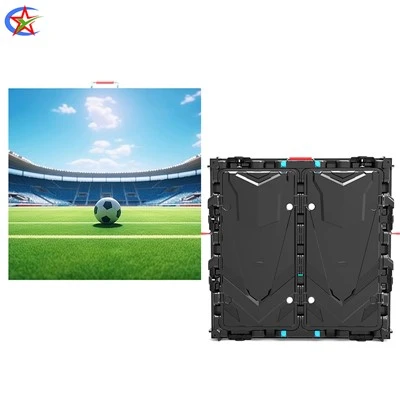
If you’re ready to start planning your LED video wall project, our team is here to help you choose the right setup for your space, content, and goals. Contact us today to schedule a consultation and get a tailored quote for your project.
Outdoor Transparent LED Display References
- LED Display Technical Standards Association. (2022). Core Specs for Commercial LED Video Walls.
- Consumer Technology Association. (2021). Refresh Rate and Display Performance Guidelines for Digital Signage.
- International Association of Venue Managers. (2023). Optimal Display Specs for Live Event Video Walls.
- World Health Organization. (2020). Accessibility Standards for Digital Public Displays, Including Epilepsy Safety.
Shenzhen Starcolor Optoelectronics Co., Ltd.
As one of the most professional led video wall manufacturers and suppliers in China, we’re featured by quality products and good price. Please rest assured to wholesale discount led video wall in stock here from our factory. Customized orders are welcome.
Address: 2nd floor, Building A, Hongjingda Industrial Park, Shiyan town, Bao’an District, Shenzhen
E-mail: starcolorled@outlook.com
WebSite: https://www.starcolordisplay.com/
