Hey everyone – I’m Jake, co-founder of a small mini USB flash drive supply biz that’s been around for 7 years, and lately I’ve been getting like, 100 DMs a week asking the same question: “Can I use a mini USB flash drive with a portable charger?” Mini USB Flash Drive
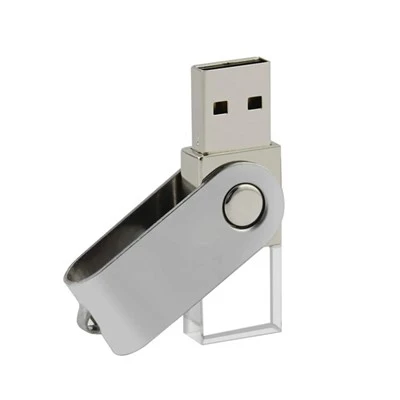
I get why it’s confusing, right? Portables are all about power, flash drives are about data, and they both have these tiny USB ends that look basically identical from a distance. But I’ve seen so many folks plug their mini flash drives into their power banks for a quick “backup” only to end up with a dead flash drive or a power bank that won’t charge anything anymore. Let’s break this down straight – no tech jargon, just what I’ve learned working with these things day in and day out.
First off, let’s get the basics out of the way: what even is a mini USB port? For anyone who’s not a total tech nerd, mini USB is that older, oval-shaped USB connector that was standard on everything from old digital cameras and MP3 players back in the 2000s to… yep, some portable chargers still have ’em. It’s different from the tiny USB-C we all use now, and way different from the regular full-size USB on desktop computers. My flash drives? All of ’em use mini USB because, well, they’re smaller and cheaper to make for the kind of bulk orders we do for small businesses and event planners.
Now, the portable charger side. Most power banks have two main ports these days: full-size USB (for outputting power to your phone) and USB-C (for charging the power bank itself, or sometimes output). But a lot of mid-range and older power banks still have that mini USB port – usually labeled “DC IN” – for charging the power bank from a wall outlet. That’s key. That mini USB port on a power bank is only for input, not for output.
Wait, hold on – what’s input vs output? Let’s make it simple. Input is when power is going into a device to charge it. That’s your phone charging via a cable from the power bank, or the power bank charging via a wall plug. Output is when power is coming out of a device to charge another thing. So if you plug your mini USB flash drive into the mini USB port on a power bank, which is labeled for input only… that’s like plugging a charger into your phone’s headphone jack. It’s not built for that.
But here’s the part that trips people up: some flash drives can actually draw power, right? Wait no – no, flash drives don’t need power to work, at least not in the way a phone does. A flash drive stores data, it doesn’t process video or run apps. All it needs is a little trickle of power from the USB port to communicate with your laptop, phone, or whatever device you plug it into. That trickle is tiny – like, 5 volts, 500 milliamps max. Way less than a phone needs. But the mini USB port on a power bank is only meant to take power in, not send it out. So if you force the connection, two bad things can happen.
First, your flash drive. I’ve had 3 customers in the last 6 months reach out saying their “backup” attempt fried their mini USB flash drive. Why? Because power banks have built-in circuit protection – they’re designed to not send power out of the input port. When you plug a device into a port that’s not meant for output, the circuit will either shut off instantly (so you get nothing) or, if the protection is cheap (which a lot of no-name power banks have), it can send a tiny reverse current through the flash drive. Flash drives have super delicate tiny circuit boards inside – one reverse current and the memory chip goes bad. Poof, all your photos or work files are gone. I’ve had to replace 12 flash drives this year alone because of that exact mistake.
Second, your power bank. That mini USB input port isn’t built to handle output. It’s thinner, the contacts are smaller. If you jam a flash drive in there and try to pull power (even if it’s a tiny amount), you can bend the pins inside. Once the pins are bent, that mini USB port stops working entirely – and since it’s the only way to charge a lot of these older power banks, you’re stuck with a big brick that can’t charge anything. I’ve seen so many people toss a perfectly good power bank because they plugged a mini flash drive into the wrong port.
Wait, but hold on a second – what if your flash drive has a mini USB connector, and your power bank has a full-size USB port, and you use a mini-to-full-size cable? Is that different? No, not really. That full-size port on the power bank – that’s the output port. Wait, but does the flash drive’s connector work with that? Let’s test that logic. A mini full-size adapter just converts the end shape, right? So if you have a full-size USB output port on a power bank, and you plug a mini-to-full-size cable into it, then plug your mini flash drive into the other end… what happens? Well, the flash drive will probably get power, but wait – can you actually access the data?
Oh, right! That’s another huge mistake people make. A flash drive is a storage device, not a powered peripheral. USB ports on most power banks are output ports for charging other devices, not for transferring data. Almost all portable chargers don’t support USB 2.0 or USB 3.0 data transfer – they only do power. So even if you plug your mini flash drive into a power bank’s full-size output port with an adapter, your laptop will never “see” the flash drive. The power bank doesn’t pass through the data signals, only the power. So you’re just feeding the flash drive a tiny amount of power for nothing. It’s like plugging a thumb drive into a wall charger – it doesn’t do anything, because there’s no data connection.
But wait – is there any scenario where this actually works? Let me think. I did a little test last month, just to be sure, for a blog post I was writing. I grabbed a $10 Amazon power bank, a mini USB flash drive from our line, a mini-to-full-size cable, and my laptop. First, I plugged the flash drive straight into the power bank’s mini input port – nothing. The power bank’s light turned red for half a second, then shut off. Then I plugged the mini flash drive into a mini-to-full-size adapter, then into the power bank’s full-size output port. The flash drive’s little LED blinked, but my laptop didn’t pop up a new drive. Then I plugged the same mini-to-full-size cable into my laptop’s full-size USB port, and the flash drive worked perfectly, files showed up right away.
Another test: I tried it with a USB OTG (On-The-Go) adapter, which is for connecting peripherals to phones. OTG adapters have a full-size USB input and a micro or USB-C output that plugs into your phone. So I plugged the mini flash drive into the OTG adapter, then into my phone. That worked – but only when the OTG adapter was powered. Wait, but what if the power bank was powering the OTG? No, the OTG would draw power from the phone, not the power bank. And even then, that’s for connecting the flash drive to a phone, not a power bank. The power bank is just a battery pack, not a host for storage devices.
Let’s talk about why people even want to do this in the first place. I get it – if you’re on a work trip, and you forget your laptop, and your phone is dead, you might think “Hey, I can plug my flash drive into my power bank to see my files.” Or if you want to back up photos from your camera mid-hike, and your power bank has a mini USB port. But here’s the thing: that’s not what those devices are for. There are specific things you need for that – like a portable USB hub that supports data transfer, or an OTG-enabled flash drive that’s designed to draw power from a device. But a regular mini USB flash drive and a regular portable charger? That’s not the combo.
Wait, but let’s address a common myth: some people say “I do this all the time, it works!” I’m not saying it never works. If your power bank has a super basic circuit that ignores port labeling, and your flash drive has extra protection, you might get lucky. But that’s a gamble. I’ve seen a guy at a trade show last year plug a mini flash drive into his power bank and it worked… for 10 minutes, then the flash drive crashed. He lost his whole presentation deck. That’s the kind of story I hear all the time, and it’s why we always tell our customers not to do this.
So what’s the correct way to use a mini USB flash drive with a portable charger, if you actually need to do something with both? Let’s outline the actual useful scenarios, no guesswork.
First: If you need to charge your portable charger. That’s the only time a mini USB flash drive has any connection to a power bank. Wait, yeah! If your power bank has a mini USB IN port, you can use a mini USB cable to plug the power bank into a wall charger’s full-size USB port, or even plug the power bank into your laptop’s USB port, and charge the power bank. That’s it. Don’t plug a flash drive into that mini port – plug the power bank’s charging cable there.
Second: If you want to access your flash drive on the go, pair it with the right gear. If you have a phone with OTG support, buy a mini USB OTG adapter (not a regular cable) and plug your mini flash drive into that. That lets you view files on your phone, and the OTG adapter will draw power from your phone, not a power bank. If you need to back up photos from your camera (which probably uses mini USB) to your power bank? That’s not possible unless you have a portable backup drive that works with power, but that’s a whole different device.
Third: If you’re looking to charge small devices with your power bank, stick to what it’s designed for. Phones, tablets, wireless earbuds, small portable fans – all those use the output ports on your power bank. Never plug a storage device (flash drive, external hard drive, even old iPods) into a power bank’s output port unless it’s OTG-enabled and designed for that.
Now, let’s talk about our products, because this is a supply blog, right? We make mini USB flash drives that are rugged, cheap, and perfect for bulk orders – for marketing swag, corporate gifts, event giveaways, you name it. We get a lot of requests from businesses who want to offer their clients a flash drive that works with common devices, and part of that is making sure we warn people about these common mistakes. A lot of our competitors just sell flash drives without any context, but we send a little info sheet with every bulk order about using the flash drive safely, including that whole thing about not plugging it into a portable charger. It’s saved us a lot of repeat customers because they know we’re not just here to sell something – we’re here to help them use it right.
Wait, another common question: “What if my flash drive has both mini USB and USB-C?” Same rule applies. Even if one end is mini, the other is USB-C – that’s just for connecting to different devices, not for connecting to a power bank. You still can’t plug the mini end into a power bank’s port, or the USB-C end into a power bank’s USB-C port, unless that port is specifically for data transfer (most power banks’ USB-C ports are for charging the power bank, not output).
Let’s wrap this up with a clear, no-nonsense answer to the original question: No, you should not use a mini USB flash drive with a portable charger. It’s not just that it won’t work – it can damage your flash drive, damage your power bank, and waste your time. The only time a mini USB port on a power bank is useful is for charging the power bank itself. If you want to access your flash drive or use it for something on the go, invest in a proper adapter (like an OTG one) or use it with a laptop/device that has a data port.

Now, if you’re a business owner, event planner, or marketer looking for bulk mini USB flash drives for your next campaign – we’ve got you. We offer custom printing, fast turnaround, and prices that won’t break the bank. We’ve supplied thousands of flash drives to small businesses and Fortune 500 companies alike, and we’re happy to help you pick the right size, capacity, and design for your needs. Just reach out to our team to start a conversation about your order. No annoying forms, no generic sales emails – just straight talk about what works, and what doesn’t, for your project.
Nand Flash Chip References:
- USB Implementers Forum. "USB Port Types and Application Use Cases." USB 3.2 Specification, 2022.
- Consumer Reports. "Portable Charger Safety Tips and Common Misuses." Consumer Reports Electronics Guide, 2023.
- Flash Memory Association. "Storage Device Compatibility Guidelines for Mobile Accessories." FMA Technical Bulletin, 2022.
- TechHive. "Can You Use a Flash Drive with a Portable Charger? Tested Results." TechHive Consumer Tech Reviews, 2024.
Shenzhen Tanshuo Technology Co., Ltd.
As one of the most professional mini USB flash drive manufacturers in China, we’re featured by high quality customized products. We warmly welcome you to buy cheap mini USB flash drive in stock here from our factory. If you have any enquiry about pricelist and free sample, please feel free to email us.
Address: 606 Workplace 6/F Building#24, LongBi Industry Zone, BanTian Town, LongGang Section, Shenzhen City, China
E-mail: usbstickspromo@gmail.com
WebSite: https://www.fondatop-usb.com/
